
Meta’s Wearables Developer Center just gave Your App Eyes. Now What?
BONUS: A practical catalogue of proof-of-concept applications you can start building today with the Meta Device Access Toolkit and Claude Code

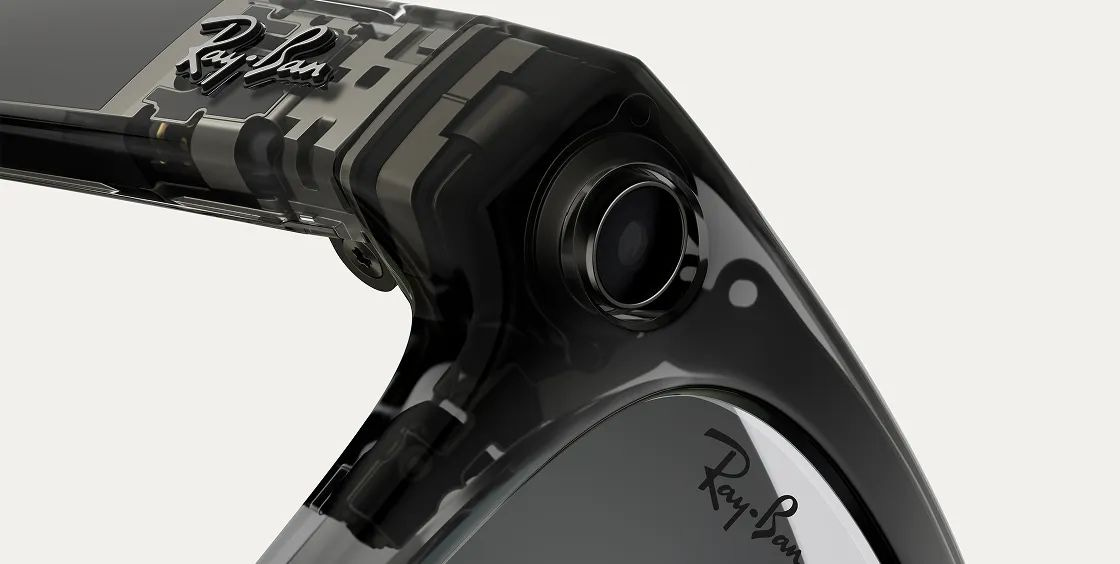
Meta quietly opened its Wearables Developer Center: a full developer platform for building third-party integrations on Ray-Ban Meta and Oakley Meta AI glasses. The developer preview of the Device Access Toolkit (DAT) went public, complete with iOS and Android SDKs, a sample app, a Mock Device Kit for testing without hardware, and documentation that reads less like a spec sheet and more like an invitation. The toolkit gives mobile apps direct access to the glasses’ camera, microphone, and speakers over Bluetooth, turning a pair of sunglasses into a sensor-rich peripheral for any app on your phone.
This is not a research paper or a concept video. It is shipping infrastructure. And for product designers who care about what comes after the screen, it’s the most important platform move of the past twelve months.
What’s Actually Here
Let’s be precise about what Meta has built, because the details matter for design.
The Device Access Toolkit is not an operating system for glasses. Apps don’t run on the glasses themselves. Instead, the DAT lets your mobile app reach into the glasses’ hardware: initiating a video stream from the first-person camera (up to 720p at 30fps over Bluetooth), capturing photos with EXIF metadata, and accessing the microphone array and open-ear speakers. The glasses become an extension of a phone app, a peripheral that sees what the wearer sees and hears what they hear.
The SDK currently ships three modules: MWDATCore for device discovery, session management, and app registration; MWDATCamera for camera access with configurable resolution and frame rates; and MWDATMockDevice for testing without physical hardware. The toolkit is currently in developer preview at version 0.4.0, with the changelog tracking rapid iteration, configurable frame rates, improved error handling, better HEIC orientation metadata, and alignment between the iOS and Android APIs.
The architecture is revealing: the Meta AI companion app acts as a bridge, handling Bluetooth connections and permissions. Your app talks to the Meta AI app, which talks to the glasses. This means Meta retains control of the pairing and permission layer, while opening the sensor layer to the ecosystem. It’s a calculated middle ground, enough openness to attract developers, enough control to protect the user experience.
The AI-Assisted Development Layer
Here’s where it gets interesting for anyone following how platforms are being built today, not just what they ship.
The Wearables Developer Center includes a dedicated AI-Assisted Development section. The SDK repos ship with pre-configured files for four AI coding tools: Claude Code (via .claude/skills/*.md files), GitHub Copilot (via .github/copilot-instructions.md), Cursor (via .cursor/rules/*.mdc), and AGENTS.md for universal agent compatibility with tools like Codex, Gemini CLI, Devin, and Windsurf. Each tool gets the same SDK knowledge in whatever format it expects, setup guides, streaming patterns, MockDeviceKit testing, session lifecycle, permissions, and debugging guidance.
On top of project-level configs, Meta also provides the full API reference via an llms.txt endpoint—following the emerging llms.txt specification for serving documentation to AI models. This means your AI coding assistant can pull up the complete API surface (classes, methods, parameters, return types) on demand, supplementing the integration patterns already embedded in the project.
This is not a bolt-on afterthought. Meta is designing the developer experience for AI-augmented workflows from day one. The install is a one-liner. The setup is zero-config if you clone the repo. The assumption is that your primary development partner is an agent, and the platform should be legible to that agent immediately. This is a signal about where developer tooling is headed writ large and product designers should pay attention, because the same pattern will soon apply to design systems, prototyping tools, and experience specifications.
What the Early Partners Tell Us
Before the public preview, Meta gave early access to a handful of partners, and their experiments sketch the design space. Twitch and Streamlabs used the toolkit to enable hands-free POV livestreaming directly from the glasses. Microsoft’s Seeing AI app leveraged the camera for real-time object recognition and text reading to assist blind and low-vision users. Disney’s Imagineering team explored a personal AI guide that could recognize what a park guest was looking at and provide contextual information. 18Birdies built a golf experience with course-aware intelligence. Be My Eyes, which already had an accessibility integration with Meta, sees the toolkit as a chance to expand assistive capabilities to their nearly one million users.
The pattern across these examples is clear: the glasses see the world, the phone thinks about it, and the response comes back through voice or audio. The interaction model is overwhelmingly non-visual in terms of output. The user doesn’t look at a screen. They ask, the system understands context through what the camera and microphone capture, and the response arrives in their ear. Even with the Ray-Ban Display’s small HUD, display output to the glasses is not yet part of the developer toolkit. The interaction loop is: first-person perception in, audio out.
Why This Matters for Product Designers
If you’re a product designer whose practice is still centered on screens, rectangles, and tap targets, this platform is a challenge, not in the hostile sense, but in the constructive one. It asks you to think about experience design in a register that most of our tools, training, and mental models don’t address well.
1. Context becomes the canvas
The input to these experiences is the real world as perceived by the wearer. The camera sees their environment, their hands, the objects in front of them, the people around them. Design decisions shift from layout and composition to contextual triggers: when should the system speak? What should it notice? How does it decide that the user is looking at something worth commenting on versus just walking down a hallway? This is a fundamentally different design challenge than organizing information within a viewport.
2. Voice and audio are the primary output modality
With the current toolkit, the primary way to respond to the user is through the open-ear speakers—not a screen, not a notification badge. This means product designers need to think about information density in temporal terms (how long does it take to say this?), interruption models (when is it okay to speak?), conversational pacing, tone, and the entire UX of audio interaction. We need to design dialogue, not interfaces. Sonic branding, voice personality, and the rhythm of spoken information become core design deliverables.
3. Agency moves from the user to the system
In screen-based apps, the user initiates almost every interaction. They tap, scroll, search. In glasses-based experiences, especially when combined with AI—the system can observe continuously and decide to act. This is the shift from reactive UI to proactive experience: the system notices you’re standing in front of a building and offers its history. It sees you looking at a product and provides a price comparison. Designing for this means designing when the system should and shouldn’t take initiative—a nuance that requires new heuristics, new user research methods, and new prototyping approaches.
4. The companion app is the brain, but it’s invisible
Because the processing happens on the phone, designers need to think about a bifurcated experience: the phone app handles setup, configuration, history, and rich visual content (after the fact), while the glasses handle the real-time, in-the-moment experience. These are two interaction surfaces with different modalities, different attention models, and different use contexts, but they must feel like a single, coherent product. This kind of multi-surface coherence is something our industry has historically struggled with, and the glasses form factor makes it more acute.
5. Privacy is a design material, not a compliance checkbox
A camera on someone’s face that feeds data to third-party apps is, to put it mildly, a sensitive proposition. Meta’s permission model requires explicit user consent per app, and the companion app mediates all connections. But the deeper design challenge is experiential: how do the people around the wearer know what’s happening? How do you design trust signals in a world where the recording device is also a fashion accessory? Privacy design for wearable AI isn’t just about toggles and consent screens, it’s about social contracts between the wearer and their environment. Designers who can navigate this territory with sensitivity will build the experiences that last.
The Agentic Connection
For those of us working on agentic experience design, the Meta Wearables platform is significant because it creates a physical perception layer for AI agents. Today, most AI agents operate on digital information: they read documents, query APIs, write code. The wearable camera and microphone give agents a window into the physical world, in real time, from the user’s own perspective.
Combine this with Meta’s explicit encouragement to use the Llama API or any third-party AI model to process the sensor data, and the picture becomes clear: this platform is designed for AI-native applications where the glasses are the sensor and the model is the intelligence. The developer doesn’t build traditional app logic—they build a perception-reasoning-response loop, where the camera sees, the model interprets, and the speakers respond.
This is what I’ve been calling the Conscious Interface—a system that is aware of its environment and can act on that awareness with intelligence. The Meta DAT doesn’t deliver this vision fully (there’s no Meta AI integration yet, and the interaction model is still relatively constrained), but it provides the foundational plumbing. And in platform terms, plumbing is everything. The developers who start building on this now will have a significant head start when the platform matures and opens to general publishing later in 2026.
What’s Missing (and Coming)
It’s worth being honest about the current limitations, because understanding the constraints shapes the design opportunity.
There is currently no access to Meta AI capabilities, no custom voice commands through the “Hey Meta” invocation. Display output to the Ray-Ban Display HUD isn’t yet available to third-party developers. Neural Band gesture input is not part of the toolkit. Bluetooth bandwidth constrains video quality and creates a battery life trade-off when streaming continuously. And publishing is still limited to select partners, general availability is targeted for later in 2026.
But every one of these constraints is a temporary boundary on an expanding surface area. Meta has explicitly stated that Meta AI integration, HUD display access, and expanded sensor input are areas they’re exploring. The trajectory is clear: more perception, more output modalities, more intelligence, more openness.
The Design Brief
If I were writing a design brief for a team exploring this space, it would start with one line: design for a user who has their hands full and their eyes on the world.
The Meta Wearables platform isn’t asking us to reinvent the pixel grid. It’s asking us to leave it behind. To design experiences that are ambient rather than attention-grabbing, that respond to context rather than demanding input, that speak rather than display, and that respect the social reality of a person wearing a camera on their face in a world that hasn’t fully consented to being seen.
The Mock Device Kit means you can start prototyping without buying glasses. The AI-assisted development setup means you can build with an agent as your copilot from the very first line of code. The permission model and session lifecycle are well-documented. The barrier to entry is as low as Meta can reasonably make it.
What’s needed now is not more engineers writing Kotlin—it’s more designers thinking about what it means to experience the world through a device that watches it with you. The glasses are open. The question is whether our discipline is ready to design for what’s on the other side.
Bonus: 10 POC Apps for Meta Wearables DAT
The Meta Wearables SDK repo ships with built-in Claude Code skills (.claude/skills/*.md) that give your AI coding agent full context on the DAT APIs, streaming patterns, MockDeviceKit, session lifecycle, permissions, and debugging. This means you can go from concept to working prototype with natural language prompts. Each POC below includes a Claude Code starter prompt to get you moving.
Current DAT capabilities: first-person camera stream (720p/30fps), photo capture with EXIF, microphone array, open-ear speakers, Bluetooth connectivity. Processing runs on the companion phone app. Any AI model (Llama, Claude API, GPT-4o, Gemini) can be used for inference.
Each POC is designed to be demonstrable within 2–4 weeks by a single developer working with Claude Code, testable via MockDeviceKit without physical glasses, and extendable into a client pitch or conference demo.
POC 01 — RETAIL / CPG
ShelfEyes
Real-time product recognition and competitive intelligence for retail teams.
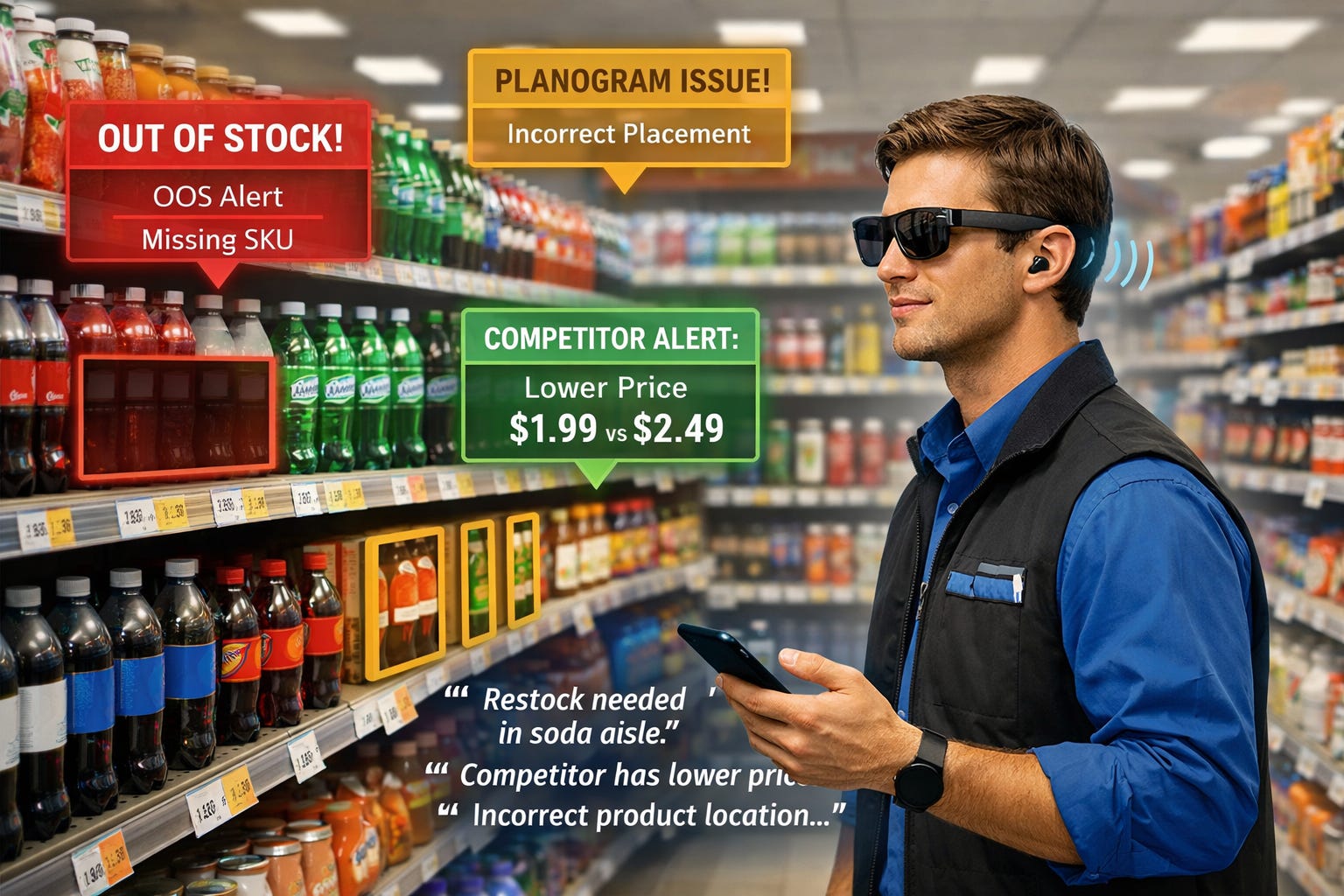
A field rep walks a store aisle wearing Meta glasses. The app continuously captures shelf imagery, identifies products via a multimodal model, and whispers insights through the speakers: out-of-stock SKUs, competitor placements, planogram compliance issues, and pricing discrepancies, all hands-free while the rep continues working.
How it works
The camera stream sends frames to a cloud endpoint running a vision model. The model compares what it sees against a reference planogram and product database. Results are synthesized into short, spoken summaries delivered through the glasses’ speakers. The companion app logs everything with timestamps, photos, and GPS for post-visit reporting.
Core design challenge
Information density in audio. A shelf contains dozens of products — you can’t narrate them all. The design challenge is deciding what’s worth saying versus what gets silently logged. This requires a priority model: only surface deviations from the expected state. Silence is a feature.
Claude Code starter prompt
Using the Meta DAT SDK, build an Android app that captures camera frames every 2 seconds, sends them to the Claude API with a system prompt describing a reference planogram, and uses Android TTS to speak only the anomalies (missing products, wrong shelf position, competitor intrusions) through the glasses speakers. Store each frame with annotations in a local Room database for a post-visit report screen.
Complexity: ⭐⭐⭐ Medium — Vision API + TTS + local storage
POC 02 — LUXURY / FASHION
MaisonView
An AI concierge for luxury retail that recognizes products and tells their story.
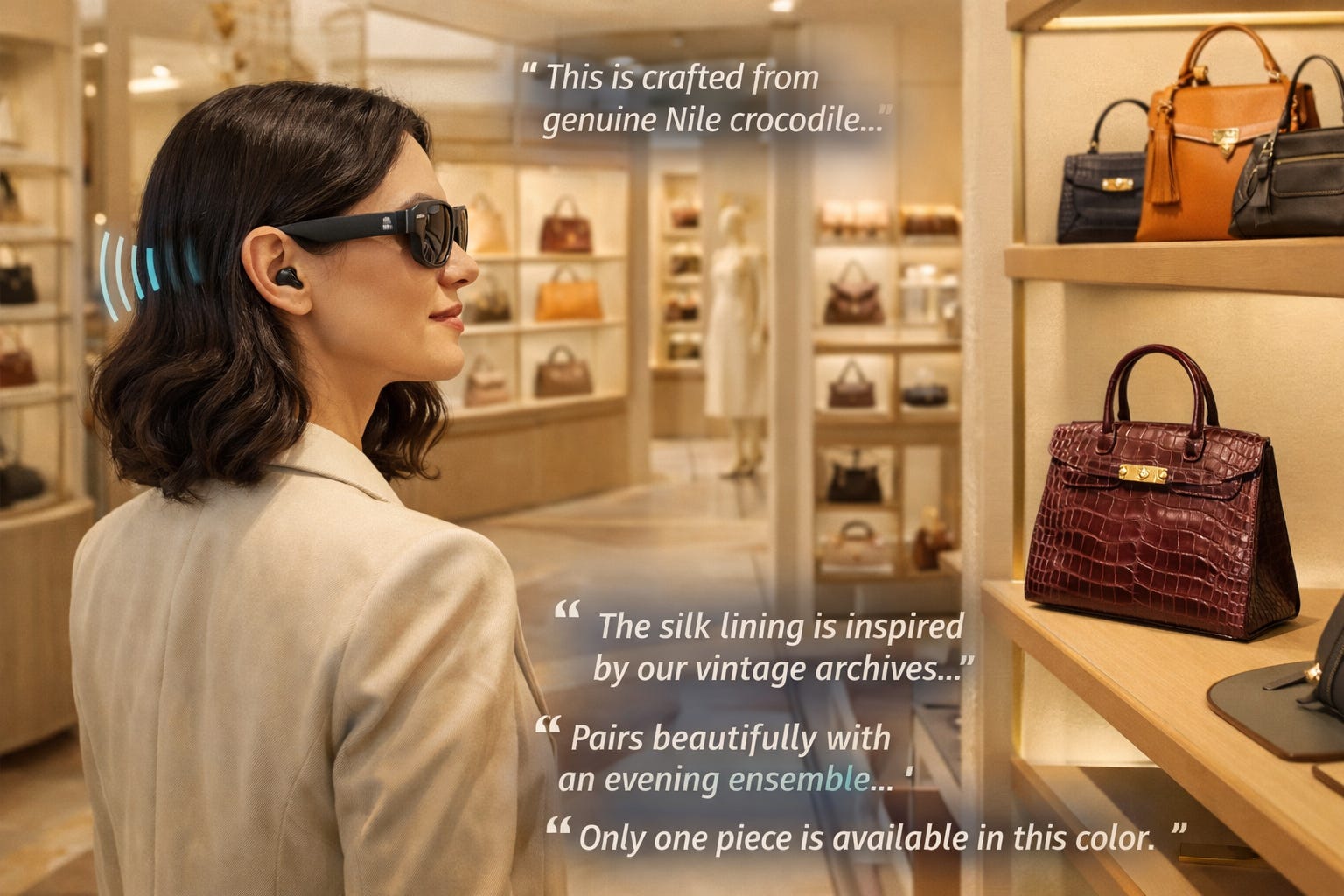
A client enters a Maison wearing Meta glasses (provided by the store). As they browse, the glasses recognize products and a warm, knowledgeable voice provides context: the craftsmanship story, material provenance, styling suggestions, and availability, like having the brand’s most experienced advisor whispering in your ear. No screens, no interruptions, no hovering sales associate.
How it works
Photo capture triggers when the user lingers (detected via frame similarity over time). The image is sent to a multimodal model with a brand-specific system prompt containing the product catalogue, storytelling guidelines, and tone-of-voice specifications. Responses are delivered via a premium text-to-speech voice (ElevenLabs or similar). The companion app shows a “wishlist” of everything the client showed interest in.
Core design challenge
Designing the personality. The voice IS the brand. Tone, pacing, vocabulary, what it chooses to say and what it leaves as mystery — this is sonic brand design at its most consequential. Also: when does the system speak versus wait to be asked? Luxury is about respect for the client’s attention.
Claude Code starter prompt
Using the Meta DAT SDK, build an app that detects when the camera view stabilizes on an object (low frame-to-frame delta), captures a photo, sends it to Claude API with a system prompt acting as a luxury brand concierge for [brand]. The prompt should include product catalogue data as context. Use ElevenLabs API for voice synthesis and stream audio to the glasses speakers. Build a companion screen that accumulates recognized products as a visual ‘mood board’ wishlist.
Complexity: ⭐⭐⭐ Medium — Vision API + ElevenLabs + brand knowledge base
POC 03 — CONSTRUCTION / INDUSTRIAL
CantierEye
Hands-free construction site documentation and safety compliance.
A site inspector walks a construction project wearing Meta glasses. The app captures continuous imagery and audio notes, automatically detecting safety violations (missing PPE, unsecured scaffolding, blocked fire exits) and documenting progress against the project timeline. The inspector never touches a clipboard, phone, or tablet.
How it works
Video stream frames are sampled and sent to a vision model trained to recognize common safety violations and construction milestones. Audio from the mic captures the inspector’s verbal notes, which are transcribed and attached to the relevant photo. The companion app generates a structured inspection report with timestamped, geotagged evidence — ready for compliance submission.
Core design challenge
Designing the alert hierarchy. Not every observation is urgent. A missing hard hat needs an immediate spoken alert. A minor documentation note can wait for the report. The system needs to distinguish between “interrupt the inspector NOW” and “log this for later.” Getting this wrong in either direction kills trust.
Claude Code starter prompt
Using the Meta DAT SDK, build an Android app that samples camera frames every 3 seconds and sends them to a vision model with a safety-checklist system prompt (PPE detection, hazard identification, progress tracking). Use Android speech recognition on the mic stream to capture verbal annotations. When a critical safety issue is detected, immediately speak an alert through the glasses. Store all observations in a structured Room database and build a companion screen that generates a PDF inspection report grouped by location and severity.
Complexity: ⭐⭐⭐⭐ High — Vision API + speech recognition + structured reporting
POC 04 — PUBLIC ADMINISTRATION / SMART CITY
VerdeScan
A citizen-facing environmental monitoring tool for public administration.
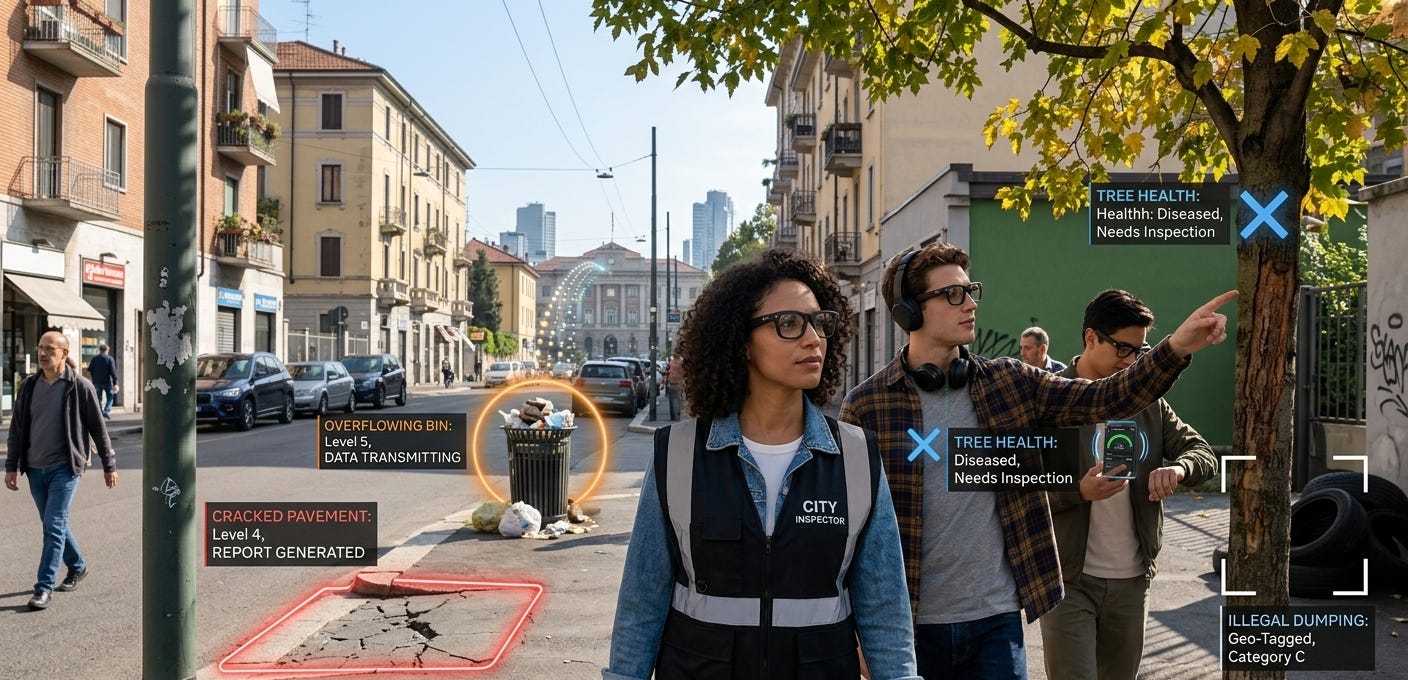
Municipal inspectors or engaged citizens walk their neighborhood wearing Meta glasses. The app identifies urban decay, maintenance issues, and environmental conditions, cracked pavement, overflowing bins, damaged street furniture, illegal dumping, tree health — and automatically generates geo-tagged reports for the relevant municipal department. Civic participation meets ambient intelligence.
How it works
Camera frames are periodically captured and sent to a vision model with a prompt covering common urban maintenance categories. GPS metadata from the phone tags each observation. The system speaks a brief confirmation (”Got it — pothole logged on Via Torino”) and the companion app shows a map view of all captured issues, ready to be submitted as a formal segnalazione to the municipal platform.
Core design challenge
Designing for civic trust. Citizens need to understand what the glasses are capturing and where that data goes. The experience must feel transparent, not surveillant. Also: how do you make a municipal reporting tool feel empowering rather than bureaucratic? The voice and interaction design need to make the citizen feel like an agent of positive change, not a data collector for a faceless system.
Claude Code starter prompt
Using the Meta DAT SDK, build an app that captures a photo when the user says a trigger word (e.g. ‘segnala’) via mic input, sends the photo to Claude API with a prompt that classifies the urban issue (road damage, waste, vegetation, street furniture, signage), extracts a severity estimate, and returns a structured JSON. Use Android TTS to confirm the report. Store observations with GPS coordinates in Room and build a map-based companion screen using Google Maps SDK. Include an export function that formats reports for the ARIA/Regione Lombardia digital services API schema.
Complexity: ⭐⭐⭐ Medium — Vision API + GPS + map UI + civic data schema
POC 05 — REAL ESTATE
SpazioNarrator
AI-powered property tours for real estate that adapt to the viewer’s interests.
A potential buyer tours a property wearing Meta glasses. As they walk room to room, the AI recognizes the space and provides contextual commentary — structural details, renovation potential, neighborhood data, comparable prices, natural light analysis — adapting its narrative based on what the viewer lingers on and what questions they ask. The agent doesn’t need to be physically present.
How it works
The camera stream identifies rooms and architectural features. A multimodal model, loaded with the property listing data, floor plans, and neighborhood comparables, generates contextual narration. The mic picks up the buyer’s questions for a conversational loop. The companion app records the full tour as a timestamped transcript with key photos, which the agent can review afterward.
Core design challenge
Designing the narrative arc. A property tour has a dramaturgy — you don’t lead with the boiler room. The AI needs to understand pacing, emphasis, and the emotional journey of buying a home. When the buyer enters the kitchen and pauses, that’s a signal of interest — the system should deepen, not repeat. This is experience design as storytelling.
Claude Code starter prompt
Using the Meta DAT SDK, build an app that maintains a continuous low-fps camera stream (2-5fps) for room detection and a higher-res photo capture when the view changes significantly (new room entry). Send frames to Claude API with property listing data in the system prompt. Implement a voice conversation loop: mic input → transcription → model response → ElevenLabs speech output. Track which rooms received the most attention (dwell time from frame analysis) and surface this in a companion ‘tour summary’ screen for the real estate agent.
Complexity: ⭐⭐⭐⭐ High — Vision API + conversational loop + dwell analytics
POC 06 — HEALTH / FITNESS
FitLens
A personal training companion that watches your form and coaches in real-time.
A user works out wearing Meta glasses. The app watches their exercise form through the camera (visible in mirrors or through a partner’s glasses during paired exercises), counts reps, identifies form breakdowns, and provides real-time spoken corrections. After the session, the companion app shows a form quality report with specific moments flagged for improvement.
How it works
Camera frames during exercises are sent to a vision model prompted with exercise biomechanics knowledge. The model identifies the exercise being performed, assesses form against correct movement patterns, and generates brief spoken corrections (”Drop your elbows slightly on the next rep”). Rep counting uses frame-by-frame motion analysis. Session data accumulates in the companion app as a training log.
Core design challenge
Timing the intervention. A form correction delivered mid-rep can cause injury. One delivered too late is useless. The design must account for the biomechanical rhythm of each exercise and find the safe window for spoken guidance — typically between reps, not during them. Also: the voice must feel like a coach, not a critic.
Claude Code starter prompt
Using the Meta DAT SDK, build an app that streams camera frames during workout mode, sends them to a vision model with exercise recognition and form analysis prompts, and uses Android TTS with carefully timed delivery to provide corrections only during rest phases between reps. Implement a simple state machine: detecting → counting → rest → correction window. Build a companion screen showing exercise history, form scores, and flagged moments with captured frames.
Complexity: ⭐⭐⭐⭐ High — Vision API + real-time biomechanics + state machine
POC 07 — CULTURE / TOURISM
MuseoVivo
A museum guide that sees what you see and adapts to your curiosity.
A museum visitor wears Meta glasses. As they move through galleries, the app recognizes artworks, installations, and architectural details, providing context that adapts to the visitor’s demonstrated interests. Linger in front of a Caravaggio and the system goes deeper into chiaroscuro technique. Walk quickly past the ceramics and it stays quiet. Ask a question and it responds conversationally. No audio guide menu, no QR codes, no numbered stops.
How it works
Photo captures trigger when the visitor’s gaze stabilizes (low frame delta). The image is sent to a multimodal model with the museum’s collection data as context. A visitor interest profile builds progressively during the visit — tracking which periods, styles, and themes received the most attention — and the model adapts its depth and angle accordingly. Voice output uses a warm, unhurried tone appropriate to the contemplative setting.
Core design challenge
Designing for contemplation. Museums are spaces of silence and attention. The AI must never feel intrusive. The challenge is creating a presence that feels like an extraordinarily knowledgeable companion who knows when to speak and — critically — when to simply let you look. Volume, pacing, and the length of responses all need to respect the museum’s acoustic and emotional environment.
Claude Code starter prompt
Using the Meta DAT SDK, build an app that captures a photo when the camera view stabilizes for 3+ seconds, sends it to Claude API with a museum collection database as context and a running visitor interest profile (updated after each interaction). Use ElevenLabs with a calm, measured voice preset. Implement a ‘curiosity score’ that tracks dwell time per artwork and adjusts response depth (brief caption vs. deep analysis). Build a companion ‘visit journal’ screen with photos and key insights from the tour.
Complexity: ⭐⭐⭐ Medium — Vision API + adaptive profiling + voice synthesis
POC 08 — ENTERPRISE / MANUFACTURING
LineAssist
Hands-free technical assistance for field service and manufacturing.
A technician servicing industrial equipment wears Meta glasses. The app sees the machine, identifies the model and current state, and provides step-by-step repair guidance spoken in their ear — referencing the specific manual, displaying context-aware instructions, and allowing the technician to ask questions without putting down their tools. If the issue escalates, the camera stream can be shared with a remote expert.
How it works
Camera frames identify the equipment model and current state (open panels, visible components, error indicators). A model loaded with the equipment’s service manual generates step-by-step spoken instructions. The mic captures the technician’s questions and status updates. The companion app logs the full service session as a structured maintenance record with photos at each step.
Core design challenge
Designing for cognitive load under pressure. The technician is holding tools, working in awkward positions, possibly in noisy environments. Instructions must be short, unambiguous, and repeatable on demand (”Say ‘repeat’ to hear that again”). The system must track progress through the repair sequence and never get ahead of or behind the technician’s actual work.
Claude Code starter prompt
Using the Meta DAT SDK, build an app with a voice-driven state machine for guided repair sequences. Camera captures identify equipment and track step completion. The system prompt includes the full service manual as context. Voice commands (next, repeat, help, skip) control navigation through the repair flow. Implement a ‘stuck detection’ timer — if no progress for 60 seconds, proactively offer help. Build a companion screen showing the current step, equipment diagram, and session log.
Complexity: ⭐⭐⭐⭐⭐ Complex — Vision API + state machine + manual RAG + voice control
POC 09 — ACCESSIBILITY
SocialBridge
An accessibility tool that describes the social world for visually impaired users.
A visually impaired person wears Meta glasses at a social gathering, a conference, or while navigating a new environment. The app describes the scene: who is nearby (using pre-registered faces with consent), their body language, the layout of the room, obstacles, signage, and social dynamics (”Two people to your left seem to be wrapping up their conversation — good moment to approach”). It’s a social awareness layer.
How it works
The camera stream is analyzed for scene understanding: people detection, spatial layout, text/signage reading, and activity recognition. A multimodal model synthesizes this into natural, conversational descriptions prioritized by social relevance. The user can ask questions (”What’s the person across from me wearing?”) through the mic. Audio output is delivered at a low volume through the open-ear speakers, allowing the user to maintain normal conversation.
Core design challenge
Designing for dignity. The user is a full social participant, not a passive recipient of narration. The system must enhance their agency without making them feel observed or dependent. Descriptions should be neutral, non-judgmental, and focused on actionable social information. The voice must feel like an inner awareness, not a narrator.
Claude Code starter prompt
Using the Meta DAT SDK, build an app that maintains a continuous low-fps stream for scene understanding, with higher-res captures triggered by voice queries. The vision model prompt emphasizes spatial relationships, social dynamics, text reading, and obstacle detection — never appearance-based judgments. Implement priority levels: safety alerts (obstacles, stairs) interrupt immediately; social context is delivered during natural pauses in conversation detected via mic input. Build a companion app for pre-registering trusted contacts with photos (with their consent) for recognition.
Complexity: ⭐⭐⭐⭐⭐ Complex — Vision API + scene understanding + social timing + consent model
POC 10 — GAMING / ENTERTAINMENT
GameGlass
Location-based AR gaming powered by real-world perception.
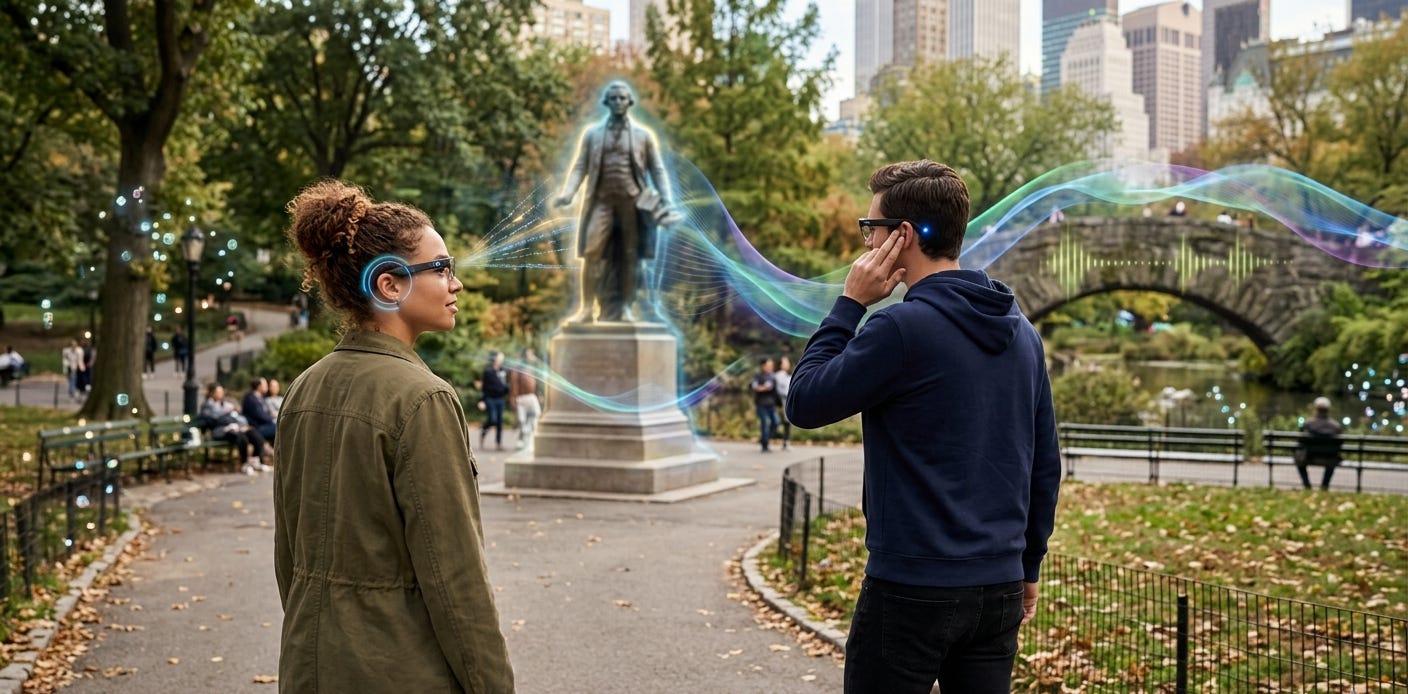
Players wear Meta glasses in a real-world environment, a park, a city center, a campus. The game perceives the actual environment through the camera and creates an audio-driven game layer on top of it. The AI acts as a game master, recognizing landmarks, tracking the player’s movement, and narrating an evolving story that responds to what the player actually sees and does. No screen. Pure audio-spatial gameplay driven by real-world context.
How it works
Camera frames are analyzed for environmental features (buildings, trees, water, paths, landmarks) that become game elements. A game-master model maintains narrative state and generates contextual story beats delivered as spoken audio. Player actions are a mix of physical movement (detected via changing scenes) and voice commands through the mic. The companion app serves as an inventory/map/journal that the player checks between sessions.
Core design challenge
Designing the game master’s voice. The AI narrator must sustain dramatic tension, respond to unexpected player choices, and maintain narrative coherence — all in real-time audio. The challenge is building a game that feels authored (not random) while being genuinely responsive to the unpredictable real world. Also: the game must be playable in public without making the player look or feel ridiculous.
Claude Code starter prompt
Using the Meta DAT SDK, build an app with a game state machine driven by environmental recognition. Camera frames feed a vision model that classifies the environment (park, street, building, water, etc.) and identifies landmarks. A narrative model (Claude with a detailed game-master system prompt and full state context) generates story beats. Voice commands handle player choices. Implement an ‘encounter system’ that triggers events when the camera detects specific environmental conditions. Build a companion ‘journal’ app that visualizes the player’s story progress on a map.
Complexity: ⭐⭐⭐⭐⭐ Complex — Vision API + narrative AI + game state + environmental triggers
How to Start (Today)
1. Clone the SDK repo (github.com/facebook/meta-wearables-dat-android or -ios). The Claude Code skills are already included.
2. Open in Claude Code. The .claude/skills/*.md files are auto-discovered. Claude immediately understands the DAT API surface, session lifecycle, streaming patterns, and MockDeviceKit.
3. Start with MockDeviceKit. You don’t need physical glasses. The mock device simulates the full device session, permissions, and camera stream. Build and test the entire interaction loop on a simulated device.
4. Pick a POC from this list and paste the Claude Code prompt. Adapt it to your client, vertical, or research interest. Claude will scaffold the project structure, DAT integration, and API calls. You focus on the experience design.
5. Design the voice. This is where product designers earn their keep. The technology is accessible. The differentiator is the experience: what the system says, when it speaks, how it sounds, and — most importantly — when it stays silent.